Virtual Currency
Individual user balances with detailed transaction history.
A virtual currency system for XenForo 2.3 with daily tasks, activity rewards, point purchases, balance management, and transaction history.
At a glance
Bits is a virtual currency and rewards system for XenForo 2.3 that encourages community participation through daily tasks and activity-based rewards. Members can earn, purchase, and manage Bits while tracking their transaction history. Administrators can configure earning rules, manage balances, and control access through XenForo's permission system.
Individual user balances with detailed transaction history.
Automatic rewards for forum activity and completed tasks.
Grant or remove Bits through moderator tools.
Explore the product
[aVrix] Bits is a virtual currency and rewards system for XenForo 2.3. It allows members to earn points through forum activity, complete daily tasks, purchase additional Bits, and track their transactions. Administrators can configure rewards, manage user balances, control permissions, and customize the forum's virtual economy.
Reward members for participating in your community through configurable daily tasks.
Create Threads — Reward members for publishing new discussion threads.
Post Messages — Award Bits for replies in discussions.
Publish Resources — Reward resource submissions through XenForo Resource Manager.
Profile Posts — Reward posts on other members' profiles.
Receive Reactions — Award Bits for positive reactions from other users.
Administrators can customize:
Task names and descriptions.
Required actions and reward amounts.
Maximum daily completions.
Allowed forum nodes and resource categories.
Task availability and display order.
Individual task progress.
Example: Post 5 messages to earn 100 Bits, up to twice per day.
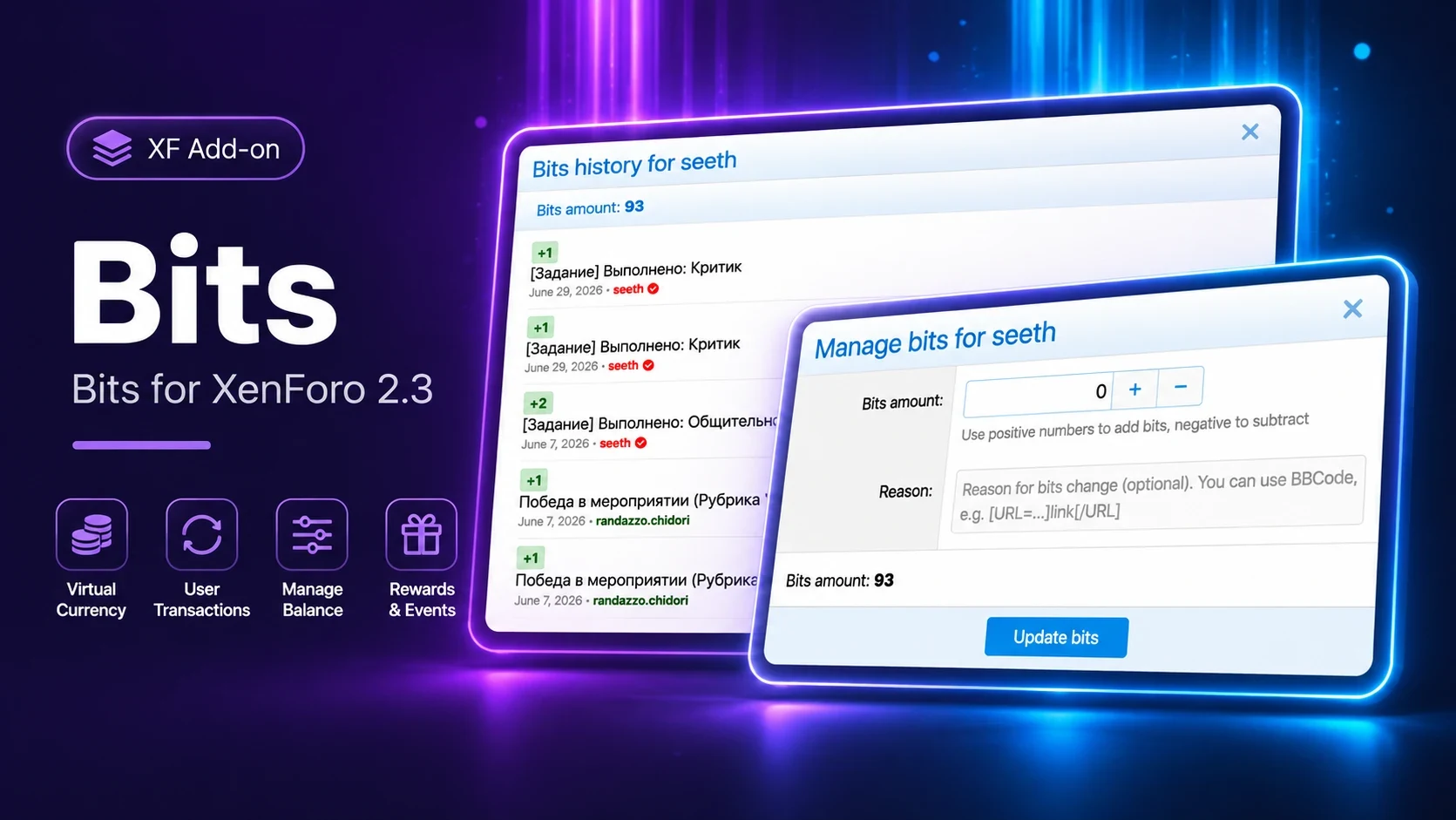
Manage user balances directly through XenForo's moderation tools.
Grant or remove Bits with a specified reason.
Notify users about balance adjustments.
View detailed transaction history.
Track transaction amounts, dates, reasons, and related content.
Use BBCode in transaction descriptions.
Control access through dedicated user permissions.
Each user has an individual balance, with a maximum of 2,592,000 Bits.
Allow members to purchase additional Bits through XenForo's integrated payment system.
Enable or disable point purchases.
Configure purchase amounts and conversion rates.
Set minimum and maximum purchase limits.
Select permitted payment profiles.
Every balance adjustment is recorded for transparency and administration.
Detailed records of earned, purchased, granted, and deducted Bits.
Transaction reasons and timestamps.
Information about moderators responsible for manual adjustments.
References to related forum content.
Paginated transaction history.
Separate permissions for viewing other users' transactions.
Double Points — Optional x2 reward multiplier.
Automatic Reversals — Remove rewards when the original qualifying content is invalidated.
Flexible Configuration — Customize task limits, reward values, purchasing rules, and permissions.
Secure Transactions — Balance locking and transactional updates help prevent conflicting operations.
Duplicate Reward Protection — Prevent repeated rewards when previously rewarded content is restored.
Bits integrates with XenForo's permission system.
Manage user bits — Grant and remove Bits from user balances.
View bits — View other members' transaction history.
Users can access their own transaction history without additional permissions.
Getting started
The developer has not provided installation instructions or documentation links.
Release history
No releases published yet
Reviews will be available when marketplace access is enabled.